We have compiled a list of manufacturers, distributors, product information, reference prices, and rankings for soft.
ipros is IPROS GMS IPROS One of the largest technical database sites in Japan that collects information on.

soft(2D CAD) - List of Manufacturers, Suppliers, Companies and Products | IPROS GMS

Last Updated: Aggregation Period:May 06, 2026~Jun 02, 2026
This ranking is based on the number of page views on our site.

soft Product List

1~30 item / All 354 items

Displayed results

What are the important points for selecting 2D CAD?

BricsCAD, which also considers future 3D capabilities. A single platform that connects 2D, 3D, and BIM all through .dwg.

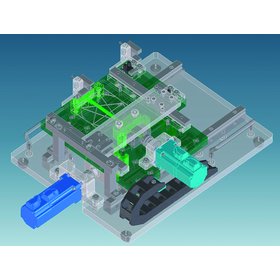
Currently, in the manufacturing and construction industries, there has been an increase in companies shifting from 2D CAD to 3D CAD design. However, the actual adoption of 3D design varies by field and product. While it is becoming more common in sectors like automotive and consumer electronics, many companies in industrial machinery and construction still rely on 2D CAD for their designs. In the context of digitalization in manufacturing, such as smart factories, and considering new initiatives like BIM and i-Construction in the construction industry, it is essential to think about hybrid CAD operations that incorporate 3D and BIM in the future. BricsCAD is a unique all-in-one platform that connects 2D, 3D, and BIM through .dwg files. It allows for the creation of 3D data from previously created 2D design data, as well as the ability to import high-end 3D CAD data, process it in .dwg format, and easily convert it to 2D, enabling seamless operation between 2D and 3D. We encourage you to consider a CAD solution that allows you to continue your current 2D design processes without difficulty while preparing for future advancements. *You can download a free trial version from the related links.

Added to bookmarks

Bookmarks list

Bookmark has been removed

Bookmarks list

You can't add any more bookmarks

By registering as a member, you can increase the number of bookmarks you can save and organize them with labels.

Free membership registration

CAD data exchange software "CAD-X.Plus"

2D CAD ⇔ 3D CAD conversion software!

"CAD-X.Plus" is CAD data exchange software that enables mutual conversion between 2D CAD data and 3D CAD data, achieving seamless conversion between the two. It implements editing functions such as Boolean operations and shape repair. We provide an optimal CAD data conversion environment for our customers. 【Main Features】 ■ Format Conversion ■ Format Editing *For more details, please download the PDF or feel free to contact us.

  • Data conversion software
  • Other CAD related software
  • Software (middle, driver, security, etc.)
  • soft

Added to bookmarks

Bookmarks list

Bookmark has been removed

Bookmarks list

You can't add any more bookmarks

By registering as a member, you can increase the number of bookmarks you can save and organize them with labels.

Free membership registration

[BricsCAD Implementation Case] Mazda Corporation

2D CAD software for designing production lines and equipment. Adopting CAD software that bridges 2D and 3D for outstanding mass production line design in car manufacturing.

At Mazda Corporation, we have been using CAD software with high market share and free CAD software, but both had challenges, and we were looking for a product to transition to. As a 2D CAD software for designing production lines and equipment, we introduced 'BricsCAD', which we provide. Utilizing a licensing system that can be used globally, it is also being utilized at overseas production sites. Additionally, by using "BricsCAD Communicator," we are streamlining the process of converting 3D part design data created with high-end CAD into 2D CAD. [Challenges Before Implementation] ■ A CAD software that is compatible with 3D, 2D, and architectural CAD is needed. ■ The cost of traditional paid software is high, leading to a shortage. ■ Free CAD software causes disruptions in business due to bugs and other issues. *For more details, please refer to the related catalog "BricsCAD Implementation Case Studies."

Added to bookmarks

Bookmarks list

Bookmark has been removed

Bookmarks list

You can't add any more bookmarks

By registering as a member, you can increase the number of bookmarks you can save and organize them with labels.

Free membership registration

Proposal for CAD Utilization: BricsCAD (Manufacturing Industry)

To continue growing in the manufacturing industry where digitalization is accelerating, seamless operation of 2D/3D data is the key!

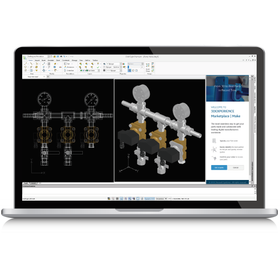
BricsCAD is a CAD software that excels in compatibility with the widely used 2D format DWG in the manufacturing industry. It features an easy-to-use direct modeler. It also supports the import and export of intermediate files and ACIS data, allowing for direct editing of 3D solid data created in other 3D CAD software. Additionally, it is a robust system for architectural and civil engineering design, with BIM functionality that enables manufacturing industries involved in equipment design within buildings to effectively utilize the created 3D data. 【Features】 ■ Equipped with a direct modeler ■ Easy for beginners in 3D CAD to learn ■ Capable of expanding to BIM ■ Comprehensive Japanese support for users *For more details, please refer to the related links or feel free to contact us.

Added to bookmarks

Bookmarks list

Bookmark has been removed

Bookmarks list

You can't add any more bookmarks

By registering as a member, you can increase the number of bookmarks you can save and organize them with labels.

Free membership registration

Nagashima Engineering Co., Ltd. Business Introduction

We will respond to the needs of a wide range of industries based on our rich experience and track record!

At Nagashima Engineering Co., Ltd., we offer design contracting services (from design to prototyping) and engineer dispatch services. In our design contracting services, we leverage our design expertise in customer products (related products), adjacent fields, and different fields to carry out everything from design to prototyping. Additionally, we dispatch skilled engineers with extensive knowledge and veteran engineers well-versed in various specialized fields to provide immediate support across a wide range of areas. 【Main CAD Equipment (Partial)】 ■3D/2D: Solid Works ■3D/2D: CATIA V5 ■3D/2D: 3DEXPERIENCE CATIA (V6) ■3D/2D: Creo Elements/Direct Modeling ■3D/2D: Creo Parametric *For more details, please download the PDF or feel free to contact us.

  • Mechanical Design
  • Temporary staffing business
  • soft

Added to bookmarks

Bookmarks list

Bookmark has been removed

Bookmarks list

You can't add any more bookmarks

By registering as a member, you can increase the number of bookmarks you can save and organize them with labels.

Free membership registration

CAD software that supports both 3D CAD and 2D CAD.

Why not stop using multiple CAD software and unify to one CAD software? With VariCAD, it can be achieved for under 100,000 yen!

Aren't you distinguishing between 3D CAD and 2D CAD? The differentiation between the two CAD software can be quite cumbersome and not light on cost. VariCAD solves the problems of such designers! VariCAD is a CAD software that supports both 3D and 2D, developed for mechanical design to assist in "manufacturing." It is equipped with the essential 3D and 2D basic tools needed for mechanical design, while being priced under 100,000 yen, thus reducing the cost burden of "manufacturing" with excellent cost performance. Unlike other CAD software, there is no need for additional installation of paid plugins. All the necessary functions for design are included, so there are no additional costs incurred. It has received very high praise from many companies struggling with design costs. Amidst rising prices of various products, VariCAD is firmly resisting price increases and maintains a price below 100,000 yen! Furthermore, we are offering a 5,000 yen discount coupon exclusively for Ipros members who download the catalog!

  • Interference_check.png
  • MachineParts-Symbol_library.png
  • 2D-drawing_editing.png
  • VariCAD2.png
  • VariCAD7.png
  • VariCAD8.png
  • VariCAD3.png
  • Other CAD
  • 3D CAD
  • soft

Added to bookmarks

Bookmarks list

Bookmark has been removed

Bookmarks list

You can't add any more bookmarks

By registering as a member, you can increase the number of bookmarks you can save and organize them with labels.

Free membership registration

[Case Study] Reducing license costs and improving operational efficiency compared to traditional CAD software.

As the number of CAD users increases, the burden of licensing costs and the expenses associated with 3D CAD in the efforts to transition to 3D, as well as the need for business efficiency.

We have introduced BricsCAD Pro to Takamiya Co., Ltd., which is engaged in the manufacturing, sales, and rental of temporary scaffolding. Originally, we used a major 2D CAD software in Japan, but in recent years, as the volume of design work increased, our staff also grew. A few years ago, the licensing model for the same software switched to an annual contract, resulting in significant costs each year, which became a challenge. The technical department verified compatibility and usability with the free trial version and determined that there were no issues. Considering the utilization of 3D functions, we decided to implement the 2D-3D design .dwg compatible 'BricsCAD Pro'. In addition to reducing the burden of licensing costs compared to conventional CAD software, we achieved operational efficiency by utilizing customization features. [Challenges Before Implementation] ■ Licensing costs became a challenge as the number of CAD users increased. ■ The cost burden of 3D CAD was also a hurdle in our efforts to transition to 3D. ■ We wanted to reduce the workload of our in-house engineers. *For more details, please refer to the related catalog "BricsCAD Implementation Case Studies."

Added to bookmarks

Bookmarks list

Bookmark has been removed

Bookmarks list

You can't add any more bookmarks

By registering as a member, you can increase the number of bookmarks you can save and organize them with labels.

Free membership registration

Cyber Ace: Support for the Introduction and Operation of Autodesk Inventor

We will support the introduction and operation of Autodesk Inventor.

We provide support for the introduction of Autodesk Inventor. 【CAD Training】 Training using original texts 【CAD Support】 Assistance when you don't understand the operation or encounter errors 【Implementation Consulting】 Consultation on 3D design rules and environment setup 【3D Data Creation】 Creation of 3D models from 2D drawings Creation of assembly drawings (such as instruction manuals)

  • Other CAD
  • simulator
  • 3D CAD
  • soft

Added to bookmarks

Bookmarks list

Bookmark has been removed

Bookmarks list

You can't add any more bookmarks

By registering as a member, you can increase the number of bookmarks you can save and organize them with labels.

Free membership registration

3D Disk Drawing Software "3D Disk Diagram"

3D board structure design tool based on BricsCAD Pro

The "3D Panel Diagram" is a tool for panel manufacturers that makes it easy to achieve "3D panel structure design," which is difficult with standard CAD commands. ■ Do you have these concerns? ■ - Operating 3D CAD is difficult - Collaboration with circuit design requires both 2D CAD and 3D CAD, making usability and data integration complicated - Unable to prepare the necessary component library for design By designing panels in 3D, you can intuitively grasp the overall structure and perform interference checks. When used as an option with ACAD-DENKI, it allows for component integration with circuit diagrams. You can call up components that can be placed on the panel based on the component information automatically extracted from the circuit diagram. ■ Features ■ ▼ Achieve 3D panel design with the feel of 2D CAD - Adopting BricsCAD as the platform, it creates a unified design environment with consistent usability and data format (.dwg) for both 2D and 3D. ▼ Interference checks are possible - Interference checks during door opening and closing can be performed with the push of a button. Interference areas are highlighted on the 3D model. * For more details, please refer to the PDF document or feel free to contact us.

Added to bookmarks

Bookmarks list

Bookmark has been removed

Bookmarks list

You can't add any more bookmarks

By registering as a member, you can increase the number of bookmarks you can save and organize them with labels.

Free membership registration

AutoCAD was released in May 2021.

"AutoCAD," used in design work for construction and manufacturing, underwent a change to a new product configuration in May 2021.

Autodesk's CAD software "AutoCAD Series" is used in various industries such as architecture, civil engineering, and manufacturing. In May 2021, the product lineup was revised, and "AutoCAD," which can perform 2D drafting and 3D modeling, became available at a price equivalent to AutoCAD LT. If you are considering the introduction of AutoCAD, please feel free to contact CAD Department (https://www.cad100.jp), operated by an authorized reseller.

  • 2D CAD machine
  • 3D CAD
  • 2D CAD Construction
  • soft

Added to bookmarks

Bookmarks list

Bookmark has been removed

Bookmarks list

You can't add any more bookmarks

By registering as a member, you can increase the number of bookmarks you can save and organize them with labels.

Free membership registration

2D/3D CAD software 'DraftSight'

Transitioning from 2D drawings to 3D models is also easy, allowing for more advanced design considerations to be conducted efficiently!

DraftSight is a 2D/3D CAD software that offers high compatibility and excellent operability, enabling comfortable and efficient work. It features the ability to create, edit, display, and markup 2D or 3D DWG files, along with a variety of tools to enhance productivity and a wide range of file compatibility. With an intuitive interface and a flexible design environment, it allows for smooth progress in various design tasks. [Main Features] - Free switching between 2D and 3D environments - Compatibility with a wide range of file formats - Integration with SOLIDWORKS products and cloud environments *For more details, please download the PDF or feel free to contact us.

Added to bookmarks

Bookmarks list

Bookmark has been removed

Bookmarks list

You can't add any more bookmarks

By registering as a member, you can increase the number of bookmarks you can save and organize them with labels.

Free membership registration

TurboCAD Windows

Comprehensive 2D/3D CAD software with excellent visualization capabilities.

A highly versatile CAD software equipped with the latest physics-based rendering engine, TurboLux. It combines speed in both CPU and GPU rendering with ease of use and high productivity. It is well-known for its excellent visualization capabilities that achieve photorealism. It offers high cost performance and is compatible with AutoCAD. **Advantages of TurboCAD:** - Short learning curve: Setup wizard, help, snap, handle-based editing - 2D/3D design: Drafting, modeling, editing, dimensioning, annotation - Surface modeling: Features such as 2D/3D Boolean operations, extrusion, rotation, and sweeping - Parametric architectural tools: Powerful physics-based rendering that enables realistic design.

  • 3D CAD
  • soft

Added to bookmarks

Bookmarks list

Bookmark has been removed

Bookmarks list

You can't add any more bookmarks

By registering as a member, you can increase the number of bookmarks you can save and organize them with labels.

Free membership registration

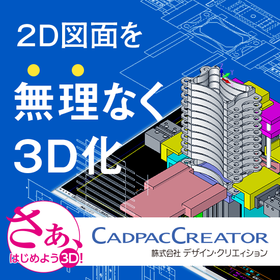
Realizing 'effortless 3D conversion' by leveraging the strengths of each aspect of 2D and 3D CAD.

Create a 3D model from the conceptual diagram of 2DCAD. Editing and modifications can be intuitively operated with direct modeling using 'CADPAC-CREATOR'.

"Can we smoothly transition from 2D design to 3D design? What changes will occur once we incorporate 3D design?" There may be 2D CAD designers who are pondering these questions. With CADPAC-CREATOR, instead of jumping straight into 3D design, we first create the necessary 3D models using 2D conceptual drawings, and then we conduct detailed design within the 3D environment. CADPAC-CREATOR enables a "natural transition to 3D" that leverages the strengths of both 2D and 3D. ▼Benefits of Introducing CADPAC-CREATOR▼ - Intuitive 3D modeling with a 2D mindset - Prevention of simple mistakes that occurred in 2D - What is difficult in 2D becomes easy in 3D - Effective use of both 2D and 3D to improve design quality

  • iprosメルマガ2311_02.png
  • iprosメルマガ2311_03.png
  • 3D CAD
  • 2D CAD machine
  • Other CAD
  • soft

Added to bookmarks

Bookmarks list

Bookmark has been removed

Bookmarks list

You can't add any more bookmarks

By registering as a member, you can increase the number of bookmarks you can save and organize them with labels.

Free membership registration

Software for the manufacturing industry 【PDM Collection】

CAD + CAE + CAM + data management software = PDM Collection! Significant cost reduction with a one-package solution for manufacturing software!

The Autodesk PDM Collection (Product Design & Manufacturing Collection) includes all the essential Autodesk solutions for the manufacturing industry, such as 2D CAD, 3D CAD, CAE, CAM, and data management software. ◆Benefits of Using the PDM Collection - Access to the epitome of 2D CAD, AutoCAD, along with specialized toolsets for mechanical design, electrical design, architectural design, etc. (AutoCAD Mechanical/Electrical/Architecture…) - Realization of 3D CAD implementation leveraging the design assets of 2D CAD drawings (DWG) - Reduction of lead time, decrease in rework, and improvement in quality through designer-led CAE implementation - Centralization of data management and simplification of revision control - Strengthening interdepartmental collaboration through tool unification

  • 3D CAD
  • Structural Analysis
  • 3D CAM
  • soft

Added to bookmarks

Bookmarks list

Bookmark has been removed

Bookmarks list

You can't add any more bookmarks

By registering as a member, you can increase the number of bookmarks you can save and organize them with labels.

Free membership registration

[Free trial available] General-purpose compatible CAD "ARES Commander"

"ARES Commander," which supports the rapid creation and editing of 2D/3D DWG drawings on a computer.

ARES Commander" allows for the rapid creation and editing of 2D/3D DWG drawings on a computer. It provides full functionality for drafting and design while achieving significant cost savings. It elevates the productivity of drafting and design work to the next level. Additionally, it fully supports the CAD's basic file format DWG from R12 to R2018. By installing the free add-on JTools, it also supports reading and writing JWW data created with JW CAD and importing/exporting the SXF format, which is essential for public works business. ▼ Free trial version available We offer a trial version that allows you to use the latest version for free for 30 days. Please try out the high compatibility and excellent operability of "ARES Commander.

  • 2D CAD Construction
  • 2D CAD machine
  • 3D CAD
  • soft

Added to bookmarks

Bookmarks list

Bookmark has been removed

Bookmarks list

You can't add any more bookmarks

By registering as a member, you can increase the number of bookmarks you can save and organize them with labels.

Free membership registration

VariCAD - 3D CAD software

Low-cost 3D CAD "VariCAD" that supports "monozukuri" (manufacturing).

VariCAD is a 3D CAD software developed primarily to support "monozukuri" (manufacturing) in mechanical engineering design. While it is equipped with the basic 3D/2D tools necessary for mechanical engineering design, it is priced affordably at around 130,000 yen including tax, making it a cost-effective 3D CAD solution. There is no need for separate paid plugin installations, as all the functions required for design are included, earning high satisfaction from users concerned about manufacturing costs. Additionally, annual maintenance costs are kept low. VariCAD's features include tools for 3D modeling, 2D drafting, and dimensioning, as well as a library of standard mechanical parts (ANSI, DIN), calculation functions for basic mechanical components, and tools for working with bills of materials (BOM) and blocks. Its performance is also high; it checks the PC's memory and, if sufficient free memory is detected, automatically adjusts the rendering speed, allowing for a high-speed option that makes 3D rendering three times faster compared to the low-speed option. Exclusive to Ipros members who have downloaded the catalog!! ◆◆◆ Currently offering a 5,000 yen discount coupon ◆◆◆

  • 建設機械1.png
  • 建設機械4.png
  • 油圧エンジン1.png
  • ボイラー1.png
  • 回転台.png
  • Other CAD
  • 3D CAD
  • soft

Added to bookmarks

Bookmarks list

Bookmark has been removed

Bookmarks list

You can't add any more bookmarks

By registering as a member, you can increase the number of bookmarks you can save and organize them with labels.

Free membership registration

CAD software [AUTOCAD]

"Reborn AutoCAD" starts offering industry-leading 2D drafting and 3D modeling at an attractive price.

2D CAD has an overwhelming recognition that can be said to be synonymous with 【AUTOCAD】! It is a globally renowned CAD software developed by Autodesk in the United States. With the peace of mind that comes from being the developer of the DWG format, it minimizes the risk of drawing corruption. Additionally, with a subscription, you are always kept up to date, ensuring no issues with data compatibility. 【Features of AutoCAD】 You can utilize advanced features such as 2D drafting, document creation, 3D modeling, and visualization at the price point of AutoCAD LT. By leveraging the AutoCAD WEB/mobile app, you can work anytime and anywhere, significantly improving workflow and productivity. *New sales of AutoCAD LT have ended as of June 7, 2021.

  • 3D CAD
  • 3D CAM
  • Stress Analysis
  • soft

Added to bookmarks

Bookmarks list

Bookmark has been removed

Bookmarks list

You can't add any more bookmarks

By registering as a member, you can increase the number of bookmarks you can save and organize them with labels.

Free membership registration

MC-SOLIDWORKS Integration (MC-SWTran)

Properly differentiate between 2D CAD and 3D CAD to improve design efficiency!

◆ SOLIDWORKS → MICRO CADAM Conversion The conversion from SOLIDWORKS data to MICRO CADAM drawing data allows for both 3D to 2D conversion and 2D to 2D conversion. After converting SOLIDWORKS data into MICRO CADAM drawings, you can create detailed official drawings using MICRO CADAM's precise drawing and output functions. ◆ MICRO CADAM → SOLIDWORKS Conversion Elements within MICRO CADAM drawings are projected onto SOLIDWORKS (part) sketches. When importing drawing elements from MICRO CADAM into SOLIDWORKS, it is possible to create parametric 3D models using the converted elements directly, thanks to an option that automatically applies geometric constraints. You can perform 2D drawing in MICRO CADAM, convert it to SOLIDWORKS data, and then conduct structural analysis and interference checks through 3D modeling.

  • 2D CAD machine
  • 3D CAD
  • Data conversion software
  • soft

Added to bookmarks

Bookmarks list

Bookmark has been removed

Bookmarks list

You can't add any more bookmarks

By registering as a member, you can increase the number of bookmarks you can save and organize them with labels.

Free membership registration

2-3D integrated CAD/CAM

CAD/CAM integrated software that meets a wide range of needs from 2D to 3D.

PocketCAM is a CAD/CAM software that comes standard with 2D drawing and 3D surface creation functions, compatible with all NC machining machines from 2-axis machining to simultaneous 5-axis machining.

  • Machining Center
  • Other CAM related software
  • 3D CAM
  • soft

Added to bookmarks

Bookmarks list

Bookmark has been removed

Bookmarks list

You can't add any more bookmarks

By registering as a member, you can increase the number of bookmarks you can save and organize them with labels.

Free membership registration

CAD/CAM software "OneCNC XR Series"

With the cost of 2 units, it can be used simultaneously from up to 10 PCs. Generates tool paths with high precision from 3D CAD data.

"OneCNC" is a CAD/CAM system that directly reads CAD data and performs calculations using its unique SMT technology, enabling the generation of high-precision and lightweight tool paths. Available in four lineups: "Mill," "Lathe," "Profire," and "WireEDM," starting from 308,000 yen. The higher model compatible with 3D CAD/CAM is also available for 968,000 yen. Additionally, with the addition of a "network license," simultaneous use on up to 10 PCs is possible. This allows for the distribution and efficiency of CAM editing and output tasks at the cost of two licenses. 【Features】 ■ Simple operability compliant with Windows, allowing for smooth implementation and startup ■ Good compatibility with external CAD data, including SolidWorks ■ Measurement of transparency, dimensions, area, volume, etc., of imported 3D data is also possible ■ "SolidDesign," which supports everything from 2D drawing to 3D modeling, is also included in the lineup *For more details, please refer to the catalog available for download in PDF format. Feel free to contact us with any inquiries.

Added to bookmarks

Bookmarks list

Bookmark has been removed

Bookmarks list

You can't add any more bookmarks

By registering as a member, you can increase the number of bookmarks you can save and organize them with labels.

Free membership registration

2D CAD/CAM Problem-Solving Case Studies - Label Printing Edition

Utilize the part data created with 2D CAD/CAM for label printing!

If you are struggling with the time and effort required by your current CAD/CAM, and have thought about how helpful certain features would be, please feel free to consult with us. 【Issues】 ■ After cutting parts with the processing machine, you are writing the part names by hand. ■ You want to print labels with necessary information such as part drawings, customer names, materials, and thicknesses as product tickets from the CAD/CAM that holds the part information. ■ Regular labels are difficult to remove, leading to complaints from customers. ⇒ Solve your problems with 2D CAD/CAM 'SheetPartner'! 【Contents】 - Easily print part information registered in SheetPartner onto product labels. It saves both time and space! - Using specially designed labels with low adhesive strength, they are easy to remove and leave no residue on the product! - Printing barcodes along with part drawings is also possible! * For more details, please refer to the PDF document or feel free to contact us. * We are currently offering on-site and online demonstrations.

  • 2D CAM
  • 2D CAD machine
  • soft

Added to bookmarks

Bookmarks list

Bookmark has been removed

Bookmarks list

You can't add any more bookmarks

By registering as a member, you can increase the number of bookmarks you can save and organize them with labels.

Free membership registration

Add-in software for reverse modeling "Mesh2Surface"

"Mesh2Surface for Rhinoceros" is an add-in that allows you to easily create CAD from 3D scan data. *Demo available.*

"Mesh2Surface for Rhinoceros" is a reverse modeling add-in software specifically for Rhinoceros that can convert 3D scanned mesh data into CAD models. By simply adding it to your usual environment, you can quickly perform high-quality reverse modeling. [Features] ■ Complete reverse modeling within CAD It offers a wealth of features such as position adjustment referencing the shape of scanned data, 2D sketching from cross-sections, and surface creation tools. By using a deviation color map, you can complete reverse modeling while comparing the shape of the scanned data with the CAD data. ■ Cut time and design costs It incorporates high-speed and efficient algorithms. As a result, you can quickly load scanned data, reducing the time required for reverse work and cutting design costs. ■ CAD conversion of organic shapes Even organic shapes can be reversed with simple automatic surfaces. You can easily convert to CAD by just pressing a button. *You can download the materials from the button below.

Added to bookmarks

Bookmarks list

Bookmark has been removed

Bookmarks list

You can't add any more bookmarks

By registering as a member, you can increase the number of bookmarks you can save and organize them with labels.

Free membership registration

Explanatory Material: "From 2D CAD Design to the World of 3D CAD Design"

White paper available now!! A must-see for designers considering 3D design! What are the benefits of designing with SOLIDWORKS?

In a digital society where many manufacturers are rapidly transitioning from 2D CAD to 3D CAD, designers are seeking to improve design and enhance communication through 3D modeling. From websites to rapid prototyping, customers, designers, and engineers all rely on the latest 3D modeling tools. This document carefully explains the benefits of designing with SOLIDWORKS for mechanical designers and how they can utilize existing 2D data after transitioning to 3D. *For more details, please refer to the document. Feel free to contact us with any inquiries.* \Free SOLIDWORKS trial seminar ongoing!/ ▼Please apply through the link below▼

  • 3D CAD
  • Other CAD
  • Other CAD related software
  • soft

Added to bookmarks

Bookmarks list

Bookmark has been removed

Bookmarks list

You can't add any more bookmarks

By registering as a member, you can increase the number of bookmarks you can save and organize them with labels.

Free membership registration

Creo (CAD)

3D (three-dimensional) CAD solution to accelerate DX.

Creo is a 3D CAD (three-dimensional CAD) software that has been the industry standard for product design and development software for over 30 years. We provide high-end features tailored to our customers' needs. Do you have any of the following concerns in your design work? - Struggling to keep up with the wave of digital transformation (DX) Although it is said that "DX in manufacturing" is important in the industry, I don't know how to take specific actions. - Time-consuming and labor-intensive analysis Is there a way to execute analysis tasks, such as stress analysis, thermal analysis, and fluid analysis, more smoothly, not just focusing on weight and center of gravity? - Frequent simple mistakes Many employees are inexperienced, leading to interference checks and increased man-hours due to revisions of drawings. - Doubts about operational efficiency While design is digitized in 3D CAD, we later create 2D drawings, which prevents data utilization in subsequent processes. Creo from PTC can solve these issues. It is a design application suite equipped with all functions from 3D modeling to analysis modules, suitable for 3D-2D integration and data management.

  • 3D CAD
  • soft

Added to bookmarks

Bookmarks list

Bookmark has been removed

Bookmarks list

You can't add any more bookmarks

By registering as a member, you can increase the number of bookmarks you can save and organize them with labels.

Free membership registration

3D CAD software 'Solid Edge'

[Free Trial Download] Professional-grade 3D CAD can be implemented at a low cost! Make the product development process more efficient!

"Solid Edge" is a comprehensive and user-friendly software that streamlines all processes of product development. ---------------------------- You can download "Solid Edge" from the link below. ---------------------------- It features "Synchronous Technology," which combines fast and easy direct modeling with robust parametric design model control. With a subscription available on a monthly or yearly basis, you can introduce full-fledged CAD while keeping initial costs low. 【Solid Edge Lineup】 ■ Design and Drafting - Introductory Package ■ Foundation - All-in-One Package ■ Classic - Advanced Package ■ Premium - Top-tier Package ★ You can download it from the link below ★ ↓↓↓↓↓↓↓↓↓↓↓↓↓↓↓↓↓↓↓↓

  • 3D CAD
  • Other CAD related software
  • soft

Added to bookmarks

Bookmarks list

Bookmark has been removed

Bookmarks list

You can't add any more bookmarks

By registering as a member, you can increase the number of bookmarks you can save and organize them with labels.

Free membership registration

SheetMetal 2D CAD/CAM SheetPartner Duct Expansion

Duct expansion can be easily and affordably achieved!

The duct expansion module can easily achieve tasks that previously required complex calculations in design and on-site work. <Features> - You can create expansion shapes simply by inputting the necessary parameters. - Even beginners in computer use can feel secure using it. - The expanded shapes can be processed into NC codes for manufacturing with minimal operations by using the sheet metal 2D CAD/CAM software 'SheetPartner'. *For more details, please download the PDF or feel free to contact us.

  • 2D CAM
  • 2D CAD machine
  • soft

Added to bookmarks

Bookmarks list

Bookmark has been removed

Bookmarks list

You can't add any more bookmarks

By registering as a member, you can increase the number of bookmarks you can save and organize them with labels.

Free membership registration

2D-3D Design .dwg Compatible BricsCAD [Free Trial Available]

【Affordable and High-Functionality】A low-cost permanent license with high compatibility and extensibility with AutoCAD. A must-see for those struggling with CAD costs!

BricsCAD is an affordable and high-performance CAD software that can create 2D, 3D, and BIM all in .dwg files. ■Do you have any of these concerns?■ - The cost of operating/introducing CAD is a burden - I want to operate with multi-licenses - Considering switching from AutoCAD, but I'm worried about utilizing existing drawings - I'm considering introducing 3D, but I'm concerned about learning how to operate it - I'm using free/cheap CAD, but it lacks functionality BricsCAD has been adopted by over 180,000 companies and more than 450,000 users worldwide, including over 10,000 companies in Japan. It is valued for its reliability, scalability, and stability. ■What BricsCAD can do■ ● Directly read AutoCAD drawings (.dwg) ● Flexibly choose from perpetual licenses, subscriptions, network licenses, etc. ● Reuse print settings, template drawings, and sheet sets ● Streamline repetitive tasks with AI-powered drawing features ● Customize migration (LISP, .NET, ARX, etc.) ● 3D design with direct/parametric modeling capabilities ● Support for IFC and point clouds Try the free trial version first!

  • 2D CAD machine
  • soft

Added to bookmarks

Bookmarks list

Bookmark has been removed

Bookmarks list

You can't add any more bookmarks

By registering as a member, you can increase the number of bookmarks you can save and organize them with labels.

Free membership registration

Civil Design CAD [Civil 3D] User Case Vol. 2

Three years after the start of CIM utilization, we have already received the director's award! The key is to enjoy new technologies.

We would like to introduce a case study of how Uekigumi Co., Ltd. utilized Autodesk's civil engineering CAD "Civil 3D." <Overview> Uekigumi, headquartered in Kashiwazaki City, Niigata Prefecture, embarked on serious BIM/CIM utilization with three members of its civil engineering department starting in 2016. The results bore fruit just three years later, when the "Shinnozumi Bridge Pier No. 2 Construction," completed in December 2019, was recognized by the Hokuriku Regional Development Bureau of the Ministry of Land, Infrastructure, Transport and Tourism and received a Director's Award. The company emphasizes that BIM/CIM should never be outsourced. We will introduce their thoughts on and methods of utilizing BIM/CIM. <Utilization Methods and Results> Please check the PDF document for more details.

  • 3D CAD
  • 2D CAD Construction
  • Other CAD related software
  • soft

Added to bookmarks

Bookmarks list

Bookmark has been removed

Bookmarks list

You can't add any more bookmarks

By registering as a member, you can increase the number of bookmarks you can save and organize them with labels.

Free membership registration